If Chem4Word appears to be installed correctly but does not start, please verify that Chem4Word has not been disabled by Word.
Adobe Acrobat Pro has been known to prevent earlier versions (prior to V3.1.6) starting up and thus being disabled and once in this state it is “sticky” until manually unblocking it.
You can check this by going to word options.
Click on Add-Ins [1], select “Slow And Disabled Add-ins” [2], then click on Go
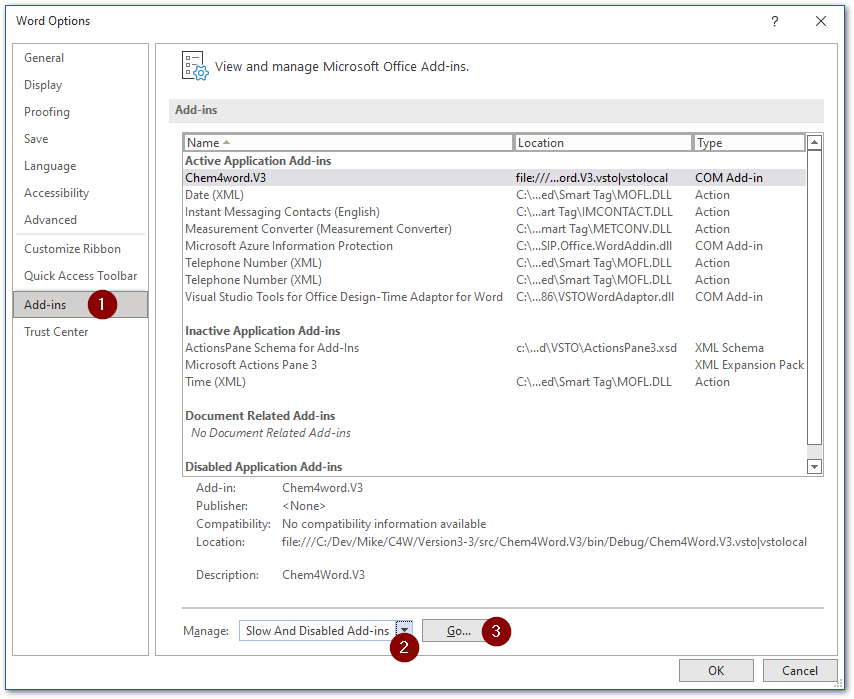
If Chem4Word is showing in this list please select it then click on enable.
It is also worth checking the list of Disabled Items as well select “Disabled Items” [2], then click on Go
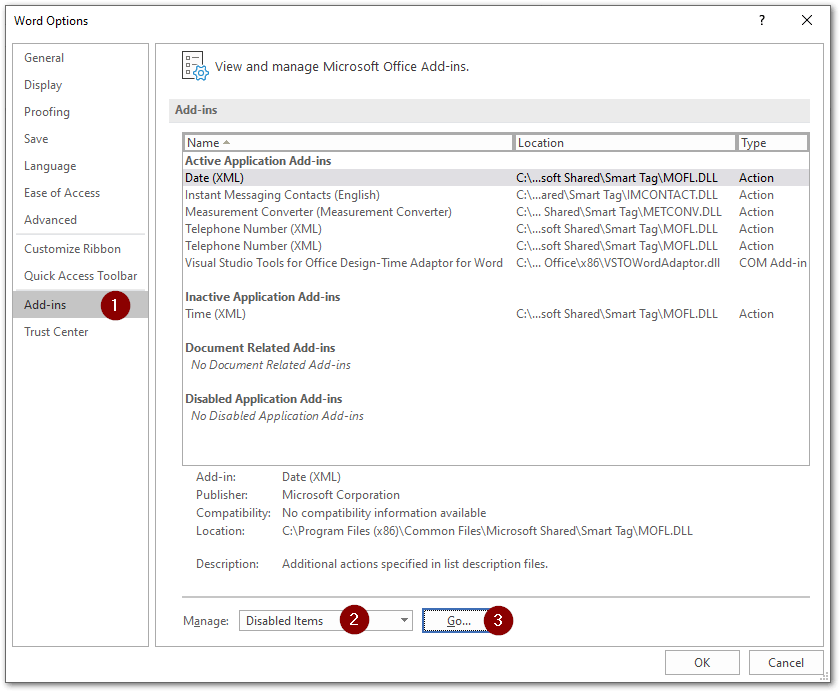
If Chem4Word is showing in this list please select it then click on enable, by clicking on steps and 5 as shown below.
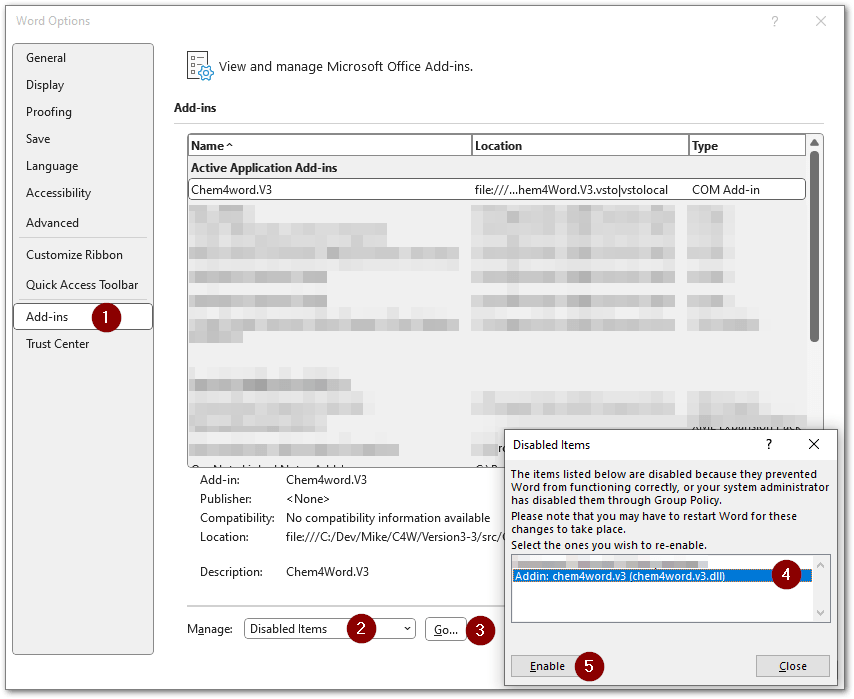
After re-enabling Chem4Word you may need to restart Word to get the Add-In fully working.
If all else fails we have a PowerShell script at Get-Back-To-Square-One.ps1 which you can run to force remove Chem4Word. NB: This will NOT alter any documents that have chemistry in them.
After this you should restart your computer, then re-install Chem4Word by downloading the lastest setup. Please see https://www.chem4word.co.uk/download/ for instructions.