Chemistry Add-In for Microsoft Word

CML is Cool

  • Home
  • History
  • Download
  • Consultancy
  • Sponsors
  • Under the Hood
  • News
  • Organomicom
  • Shop
    • My account
    • Basket
  • Support ▾
    • Knowledge Base
    • Usage
    • FAQs
    • Tutorials

Chem4Word 2020 is here!

2nd September 2020 by Andy Wright

You can now upgrade to the latest version of Chem4Word! Download it from here and see the new features.

Library

The Chemistry Add-In for Microsoft Word now comes with a pre-loaded structure library from CEVOpen – This data represents about 2100 unique chemical names of volatile plant chemicals (essential oils) from the EssoilDB 1.0 database (compiled from the scientific literature over about 10 years in Dr Yadav’s laboratory). They are made available for re-use by anyone for any purpose (CC0). We would appreciate acknowledgement of EssoilDB and the following people who extracted and cleaned the data during 2019. (Gitanjali Yadav, Ambarish Kumar, Peter Murray-Rust).
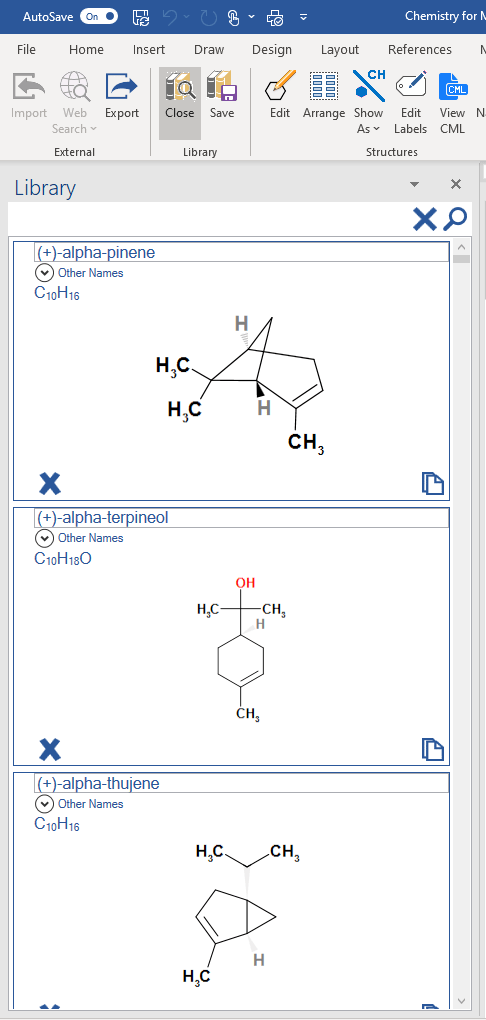
The new library is default for brand new installations, but if you already have a library of your own, installing the latest release will leave your library in place.

ACME

You’ve already read that we have a new editor. The editor allows us to create new features in future versions. We’re looking at a number of opportunities to improve Chem4Word. As an example, we’re looking to include the drawing of chemical reactions.

The future

We’re in the process of making some video tutorials of the new features, and we’ll post these as soon as we can.

Meanwhile, keep in touch via our Facebook group where you will hear first about the new features and video tutorials.

And as always, Chem4Word is free and will remain so.  What are you waiting for?  Download it now!
Filed Under: News

Chem4Word has a new Library!

1st September 2020 by Andy Wright

The Chemistry Add-In for Microsoft Word now comes with a pre-loaded structure library from CEVOpen https://github.com/petermr/CEVOpen – This data represents about 2100 unique chemical names of volatile plant chemicals (essential oils) from the EssoilDB 1.0 database (compiled from the scientific literature over about 10 years in Dr Gita Yadav’s laboratory). They are made available for re-use by anyone for any purpose (CC0). We would appreciate acknowledgement of EssoilDB and the following people who extracted and cleaned the data during 2019. (Gitanjali Yadav, Ambarish Kumar, Peter Murray-Rust).

The new library is default for brand new installations, but if you already have a library of your own, installing the latest release will leave your library in place.

If you want the new library and to keep the structures from your existing library, we’ll provide instructions on how to do that shortly after release.

Filed Under: News

Functional groups now included in Chem4Word 2020

31st August 2020 by Andy Wright

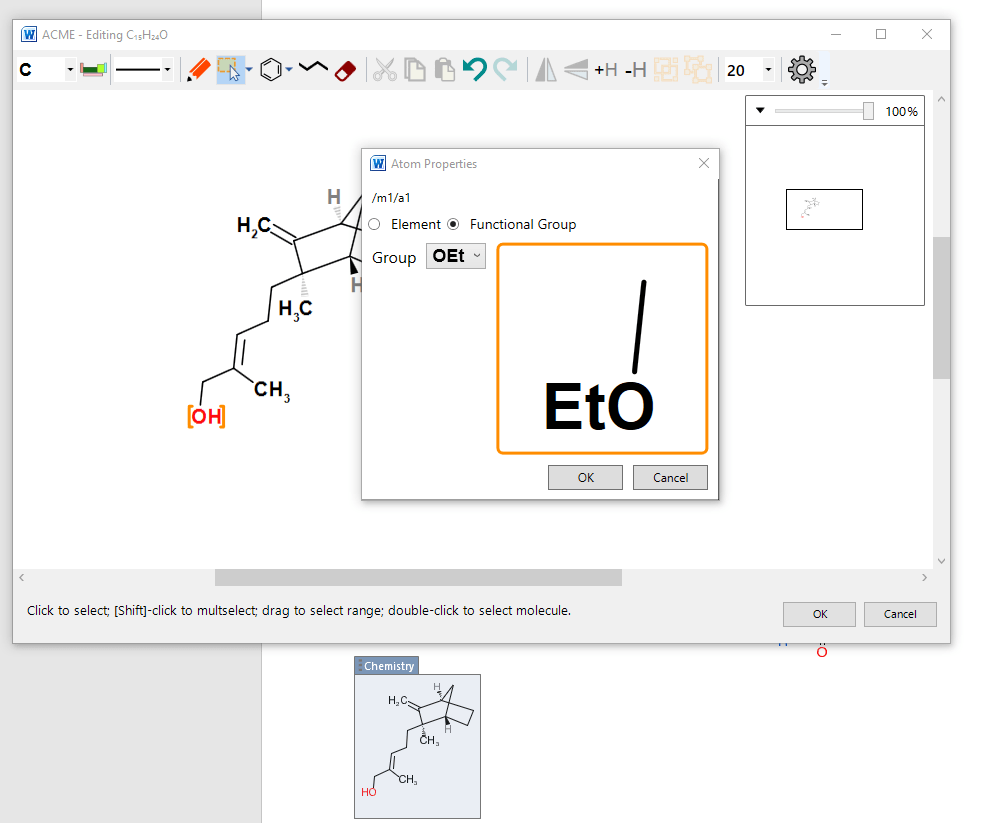
Fed up with having to draw out common functional groups in your molecules?  ACME, our new structure editor now provides easy shortcuts that can save you time and effort.

In the background, we capture the correct chemical formula, so that the correct formula can be calculated. This feature is in its early stages of development. Right now, we are unable to calculate InChI keys and find names from structures with embedded functional groups, but this feature is on the roadmap, so you can expect improvements in future releases.

Filed Under: News

A new molecule editor in Chem4Word 2020 – Introducing ACME!

30th August 2020 by Andy Wright

The biggest change in Chem4Word 2020 is the way in which you can draw and edit chemical structures.

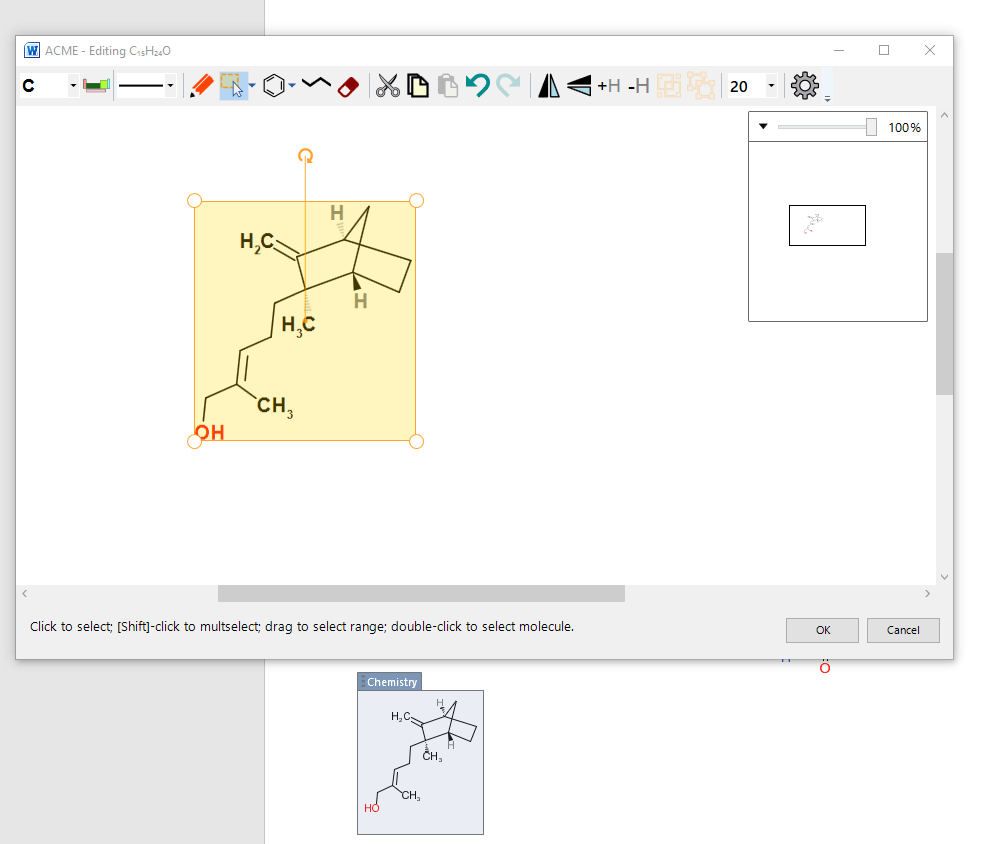
ACME is the Advanced CML-based Molecule Editor.  ACME uses Windows’ hardware-accelerated graphics for seamless, scalable drawing and editing.

ACME supports all common molecule editing operations complete with full undo and redo.
 

Whether you’re editing a molecule that is already in your document, or drawing a new one, ACME is the new tool to do the job.

Filed Under: News

ACME In Chem4Word

29th August 2020 by Clyde Davies

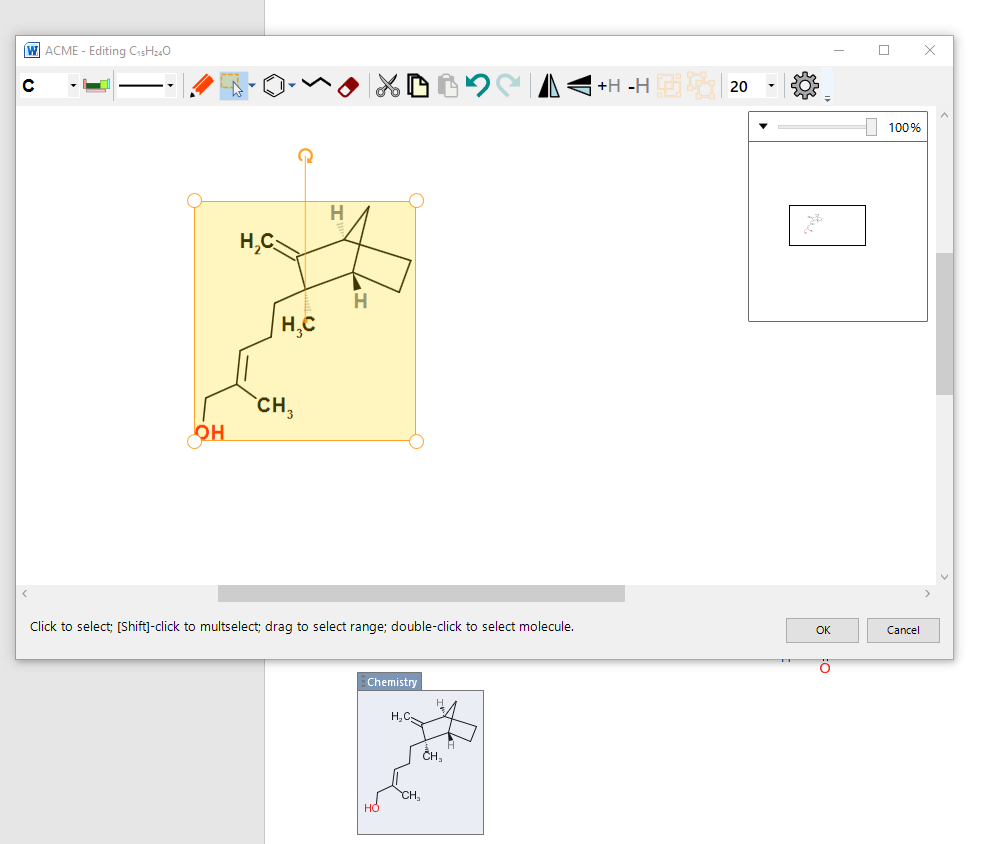
The new version will allow you to use our brand new, intuitive Chemistry editor (ACME). 

Have a guess to see what ACME stands for. 

W ACME - Editing C,sHuO 
20 
100% 
CH3 
Click to select; [Shift-click to multselect; drag to select range; double-click to select molecule. 
Chemistry

Filed Under: News

  • « Previous Page
  • 1
  • 2
  • 3
  • 4
  • 5
  • 6
  • Next Page »

Recent Posts

  • Organic Named Reactions – The Organomicon
  • Made Our Century – But Still In The Crease!
  • Available NOW: Improvements to Reactions!
  • Chem4Word – V3.3.10 Release 8
  • Why Should I Use Chem4Word?

Archives

  • August 2026
  • July 2026
  • June 2026
  • February 2025
  • July 2023
  • June 2023
  • March 2023
  • December 2022
  • November 2022
  • October 2022
  • March 2022
  • September 2020
  • August 2020
  • December 2018
  • April 2017
  • January 2017
  • December 2016
  • September 2016
  • December 2015
  • Privacy Policy – Chemistry Add-In for Microsoft Word
  • About Us
  • Contact Us
  • Cookie Policy (UK)

Copyright © 2026 · "Supported by the .NET Foundation" · Log in

Manage Consent
To provide the best experiences, we use technologies like cookies to store and/or access device information. Consenting to these technologies will allow us to process data such as browsing behaviour or unique IDs on this site. Not consenting or withdrawing consent, may adversely affect certain features and functions.
Functional Always active
The technical storage or access is strictly necessary for the legitimate purpose of enabling the use of a specific service explicitly requested by the subscriber or user, or for the sole purpose of carrying out the transmission of a communication over an electronic communications network.
Preferences
The technical storage or access is necessary for the legitimate purpose of storing preferences that are not requested by the subscriber or user.
Statistics
The technical storage or access that is used exclusively for statistical purposes. The technical storage or access that is used exclusively for anonymous statistical purposes. Without a subpoena, voluntary compliance on the part of your Internet Service Provider, or additional records from a third party, information stored or retrieved for this purpose alone cannot usually be used to identify you.
Marketing
The technical storage or access is required to create user profiles to send advertising, or to track the user on a website or across several websites for similar marketing purposes.
  • Manage options
  • Manage services
  • Manage {vendor_count} vendors
  • Read more about these purposes
View preferences
  • {title}
  • {title}
  • {title}