Chemistry Add-In for Microsoft Word

CML is Cool

  • Home
  • History
  • Download
  • Consultancy
  • Sponsors
  • Under the Hood
  • News
  • Shop
    • My account
    • Basket
  • Support ▾
    • Knowledge Base
    • Usage
    • FAQs
    • Tutorials

Merging your Chem4Word V3 Library

3rd September 2020 by Mike Williams

This post shows you how to merge your existing structure V3 library into V2020 essential oils library.

1. Export your existing structures to a folder by clicking on the Chem4Word “Options” button.
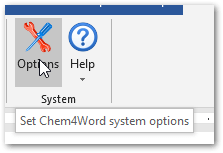
Chem4Word Options Button

2. Select the library tab and click on the “Export” button.
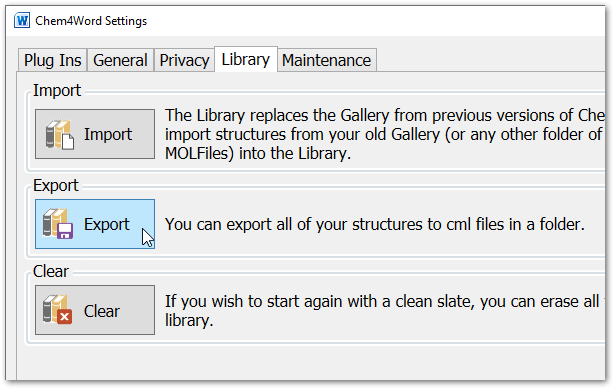
Chem4Word Options Library Tab

3. Chose a folder to export them to. Here I have created a folder called “C:\Users\Mike\Library”.
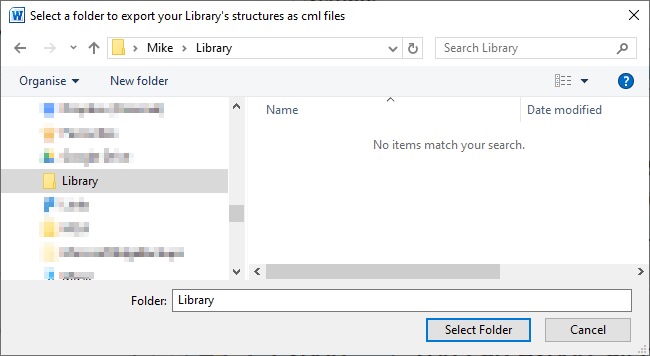
Choose a folder

4. When “Select Folder” is clicked you should see a progress bar at the bottom of the form as shown below.
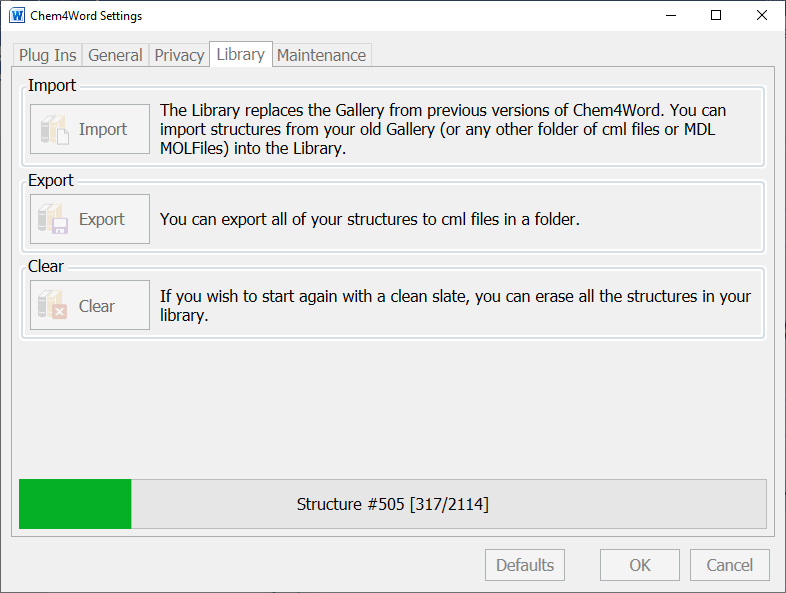
Export in Action

5. Once the export is completed you will see a dialog similar to the following.
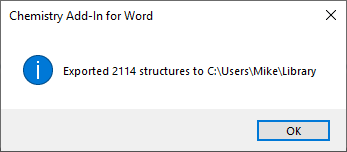
Export Done

6. Select the “Maintenance” Tab and click on the “Open” button for the library.
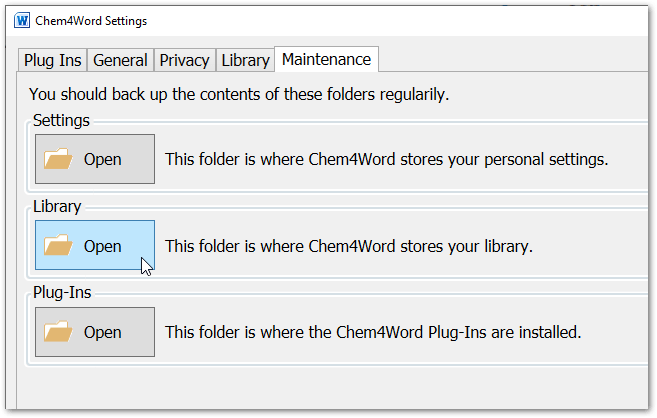
Chem4Word Options Maintenance Tab

7. Once the folder has opened you can backup the file “Library.db”, then delete it.
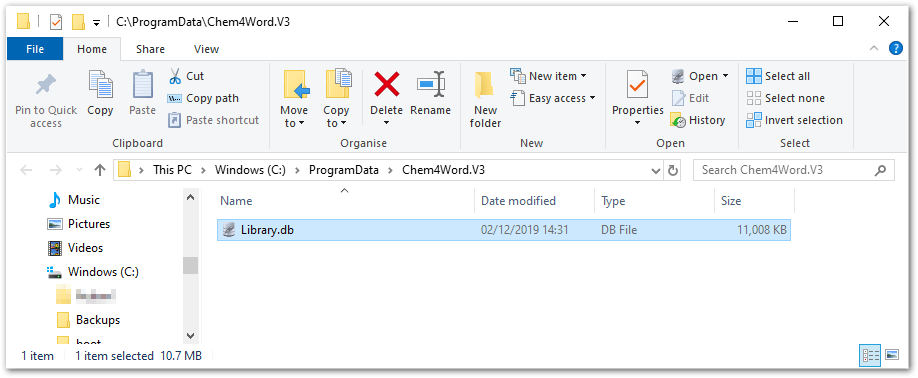
Choose a folder

8. Close all running copies of Microsoft Word. If in doubt re-boot your PC after the above step.

9. Start Microsoft Word, Select the Chemistry Tab, then click on the “Open” Library button and you should see that the new Essential Oils database has been installed. In the image below the button’s caption has been changed to close as the library is open.
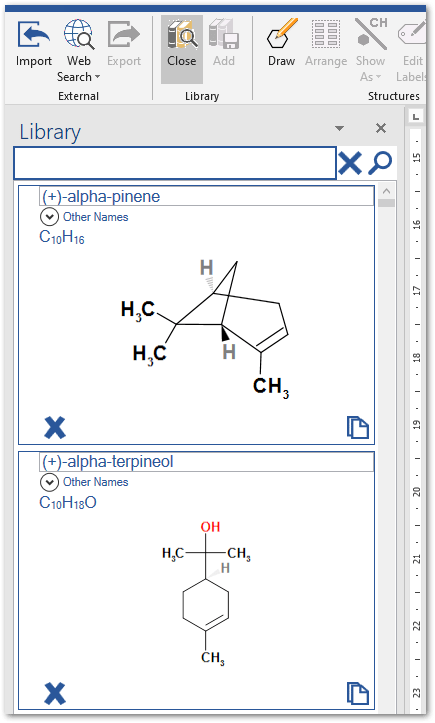
Show Library

10. You can now import and merge the structures from your previous library by clicking on the “Options” button. Select the “Library” tab, then click on the “Import” button.

Import Button

11. Select the folder you previously exported your library to.
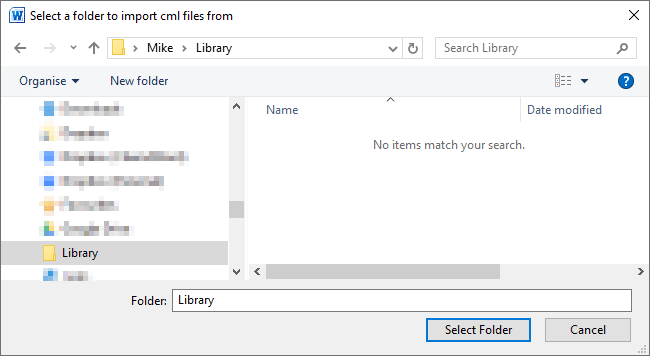
Select folder

12. You will be required to confirm the import operation.
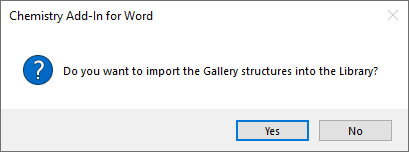
Confirm

13. While working you will see a progress bar at the bottom of the form as shown below.
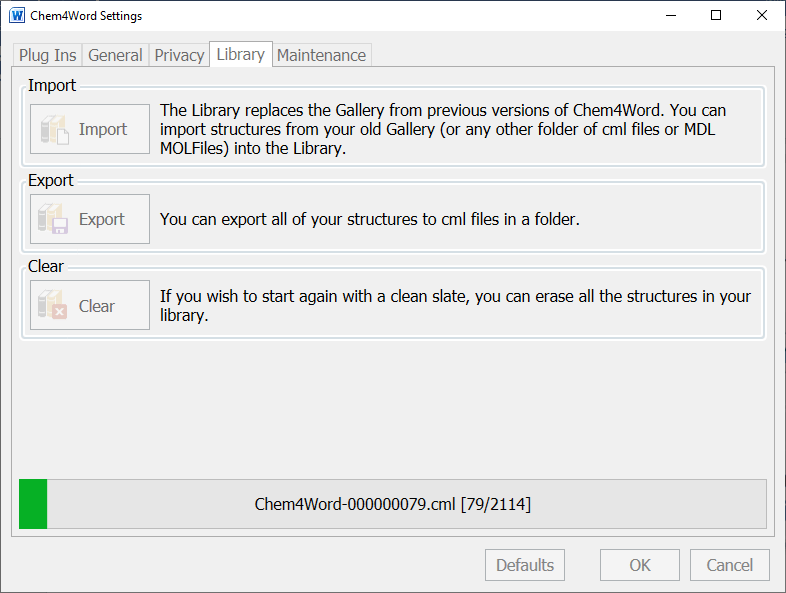
Import in progress

14. Congratulations, you have now merged the two libraries.
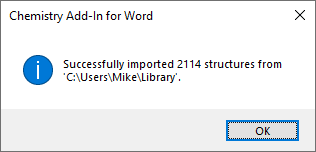
Import done

Filed Under: News

Recent Posts

  • Chem4Word – V3.3.10 Release 8
  • Why Should I Use Chem4Word?
  • SketchEl file support now included in V3.3
  • Improved Chemical Libraries are live in Chem4Word!
  • Draw Chemical Reactions Easily and Quickly with Chem4Word!

Archives

  • February 2025
  • July 2023
  • June 2023
  • March 2023
  • December 2022
  • November 2022
  • October 2022
  • March 2022
  • September 2020
  • August 2020
  • December 2018
  • April 2017
  • January 2017
  • December 2016
  • September 2016
  • December 2015
  • Privacy Policy – Chemistry Add-In for Microsoft Word
  • About Us
  • Contact Us
  • Cookie Policy (UK)

Copyright © 2025 · "Supported by the .NET Foundation" · Log in

Manage Cookie Consent
We use technologies like cookies to store and/or access device information. We do this to improve browsing experience and to show (non-) personalised ads. Consenting to these technologies will allow us to process data such as browsing behaviour or unique IDs on this site. Not consenting or withdrawing consent, may adversely affect certain features and functions.
Functional Always active
The technical storage or access is strictly necessary for the legitimate purpose of enabling the use of a specific service explicitly requested by the subscriber or user, or for the sole purpose of carrying out the transmission of a communication over an electronic communications network.
Preferences
The technical storage or access is necessary for the legitimate purpose of storing preferences that are not requested by the subscriber or user.
Statistics
The technical storage or access that is used exclusively for statistical purposes. The technical storage or access that is used exclusively for anonymous statistical purposes. Without a subpoena, voluntary compliance on the part of your Internet Service Provider, or additional records from a third party, information stored or retrieved for this purpose alone cannot usually be used to identify you.
Marketing
The technical storage or access is required to create user profiles to send advertising, or to track the user on a website or across several websites for similar marketing purposes.
  • Manage options
  • Manage services
  • Manage {vendor_count} vendors
  • Read more about these purposes
View preferences
  • {title}
  • {title}
  • {title}